

Ngôn ngữ

CCTik mobile app

Turn the media you love into organized collections

Preview and save video or images from supported public links, build themed collections, and keep sharing history in one focused mobile workflow.

  • Video, single-image, and multi-image posts
  • Collections for organized favorites
  • Available for Android, iPhone, and iPad

Free download · Optional in-app purchases

CCTik

More than a save button

What is the CCTik app?

CCTik is a mobile app for sharing and organizing public media. Paste a supported public link to preview available video or images, save the items you need to your device, and arrange favorites into clear collections.

The real app experience

One continuous mobile flow, from link to collection

These screens come from the CCTik Android listing on Google Play. Each step is designed around faster previews, clearer organization, and easier sharing.

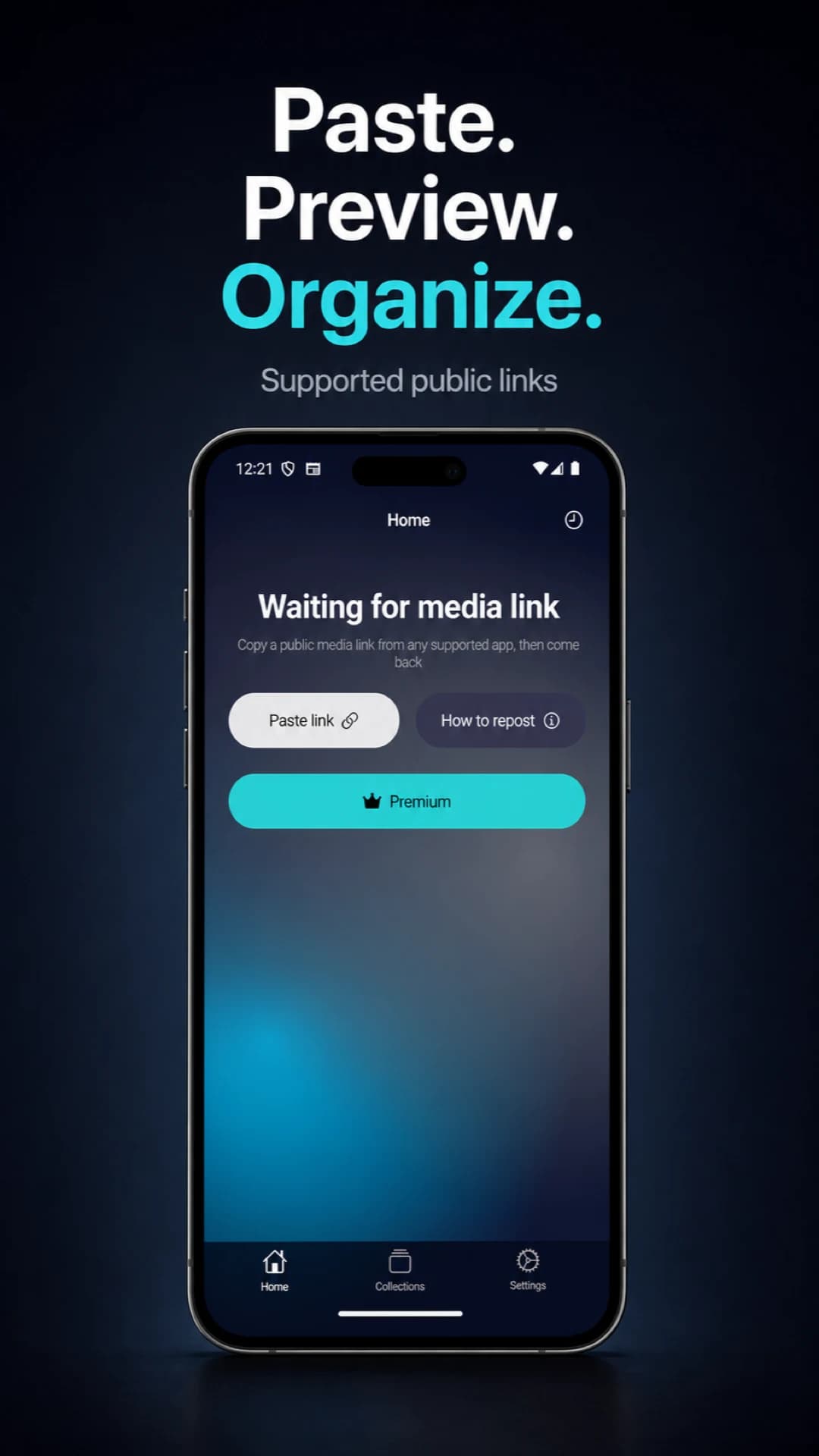
Paste a link and start previewing — CCTik Android
01

Paste a link and start previewing

Copy a supported public media link and paste it into CCTik. Preview, save, and organization actions stay together on one focused home screen.

  • One starting point for supported public links
  • Preview video, images, and galleries first
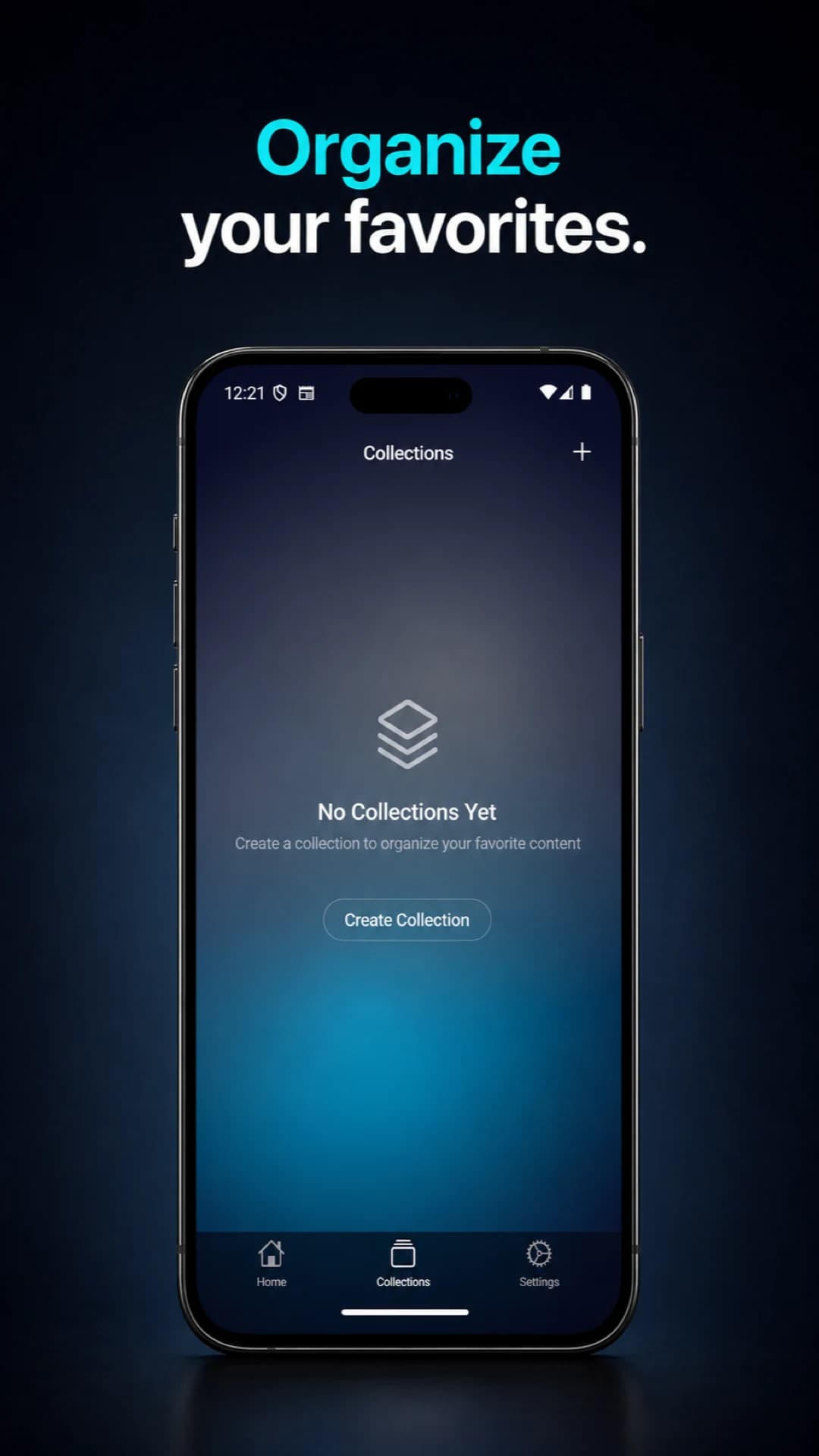
Turn scattered media into collections — CCTik Android
02

Turn scattered media into collections

Create separate Collections for people, topics, travel inspiration, or projects. Saved media stays organized instead of disappearing into camera rolls and chats.

  • Create multiple themed collections
  • Keep favorite media easy to revisit
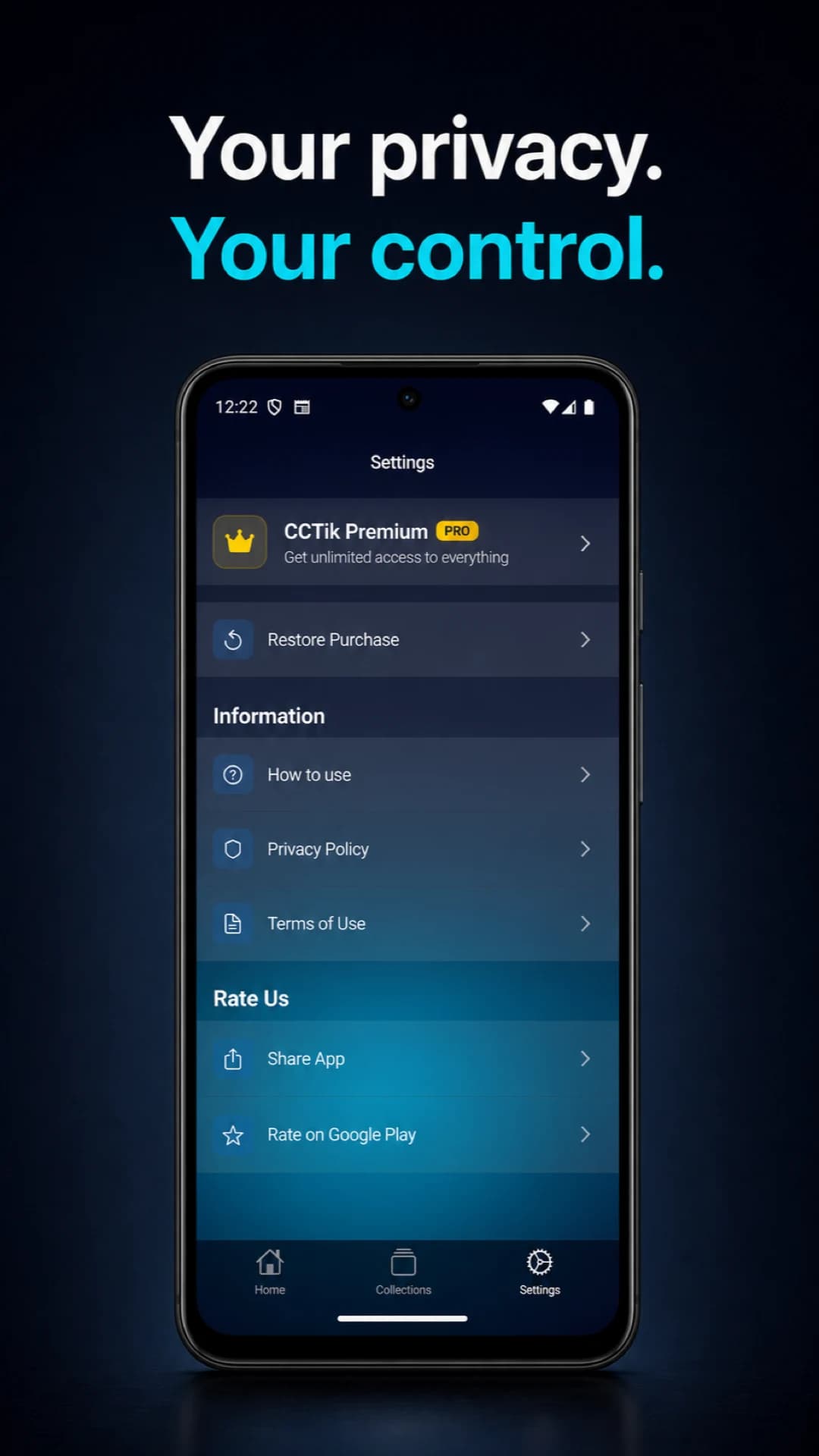
Keep settings and privacy within reach — CCTik Android
03

Keep settings and privacy within reach

Essential settings, help, privacy information, and subscription controls are presented in one clear place, so you always understand and control your experience.

  • Manage essential settings together
  • Review privacy and terms at any time
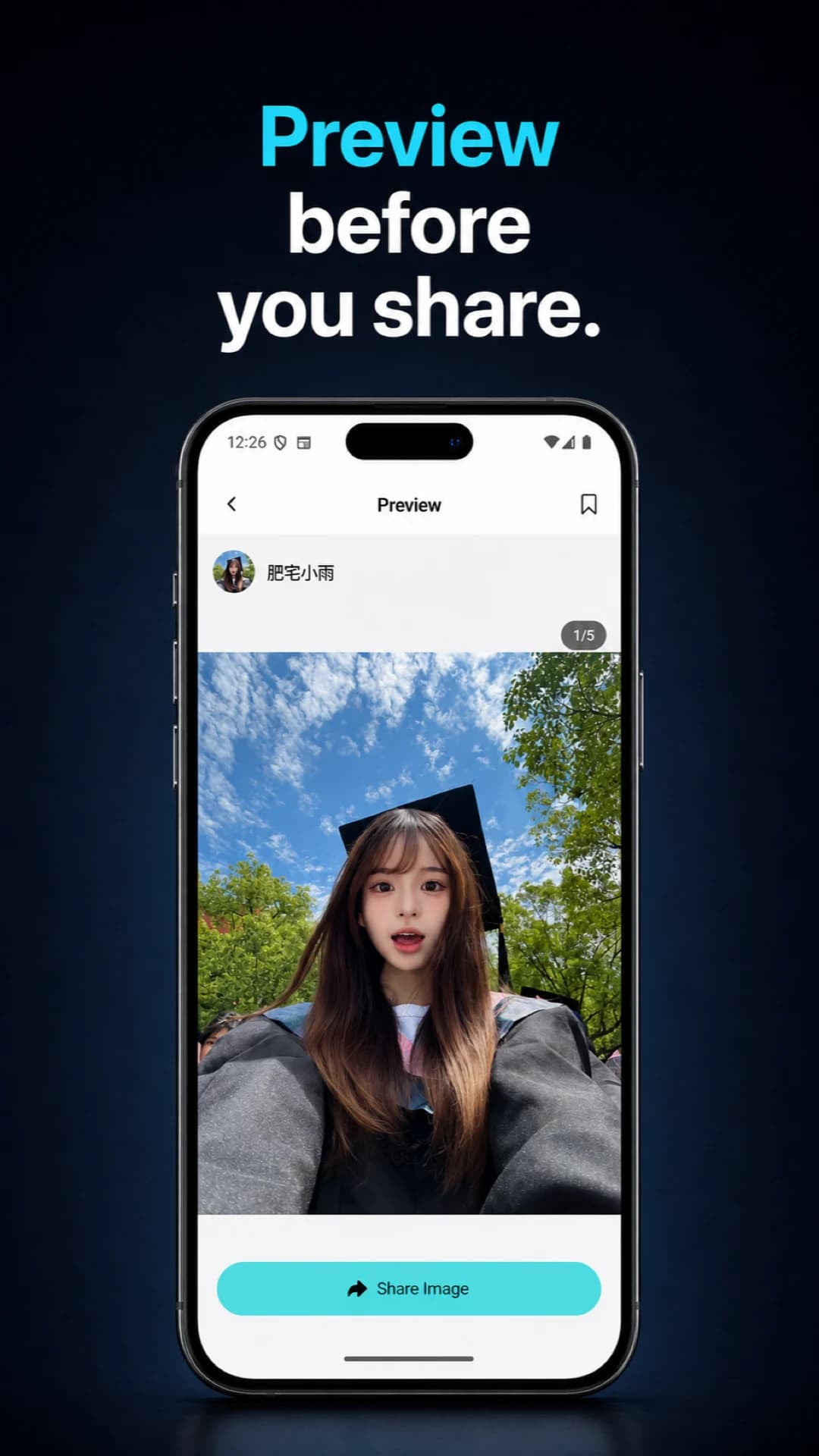
Preview first, then choose how to share — CCTik Android
04

Preview first, then choose how to share

Review video, a single image, or an entire gallery before saving. Once the right media is clear, move naturally into collecting or sharing it.

  • Large, focused media previews
  • A smoother path from preview to sharing

Core advantages

Designed around the way you use your phone

Replace scattered browser tabs and loose files with a clear workflow for previewing, saving, collecting, and sharing.

Themed collections

Create Collections for people, inspiration, projects, or platforms so saved media stays easy to find.

Video and galleries

Preview available video, single images, and multi-image posts before choosing what to save.

Easy sharing

Share saved media with friends without repeatedly switching between several apps.

History when needed

Premium can remove ads and unlock History, helping you return to media you processed before.

Three simple steps

From a public link to your collection

  1. 01

    Copy a public link

    Find a public post on a supported platform and copy its share link.

  2. 02

    Preview it in CCTik

    Paste the link into the app to see video, images, or galleries currently provided by the source.

  3. 03

    Save, collect, or share

    Save the media you need, add it to a Collection, or share it with friends.

Official downloads

Choose your device

Install the latest version from an official app store. Compatibility, privacy labels, and subscription options are shown for your region.

Android

Google Play

For Android phones and tablets. Install through Google Play and receive future updates from the store.

Tải CCTik trên Google Play

Built for these needs

A clearer mobile media workspace

TikTok video organizationInstagram image collectionsMulti-image post savingSocial media sharingAndroid media tooliPhone and iPad collections

Frequently asked questions

About the CCTik app

Helpful answers before you download.

What can the CCTik app do?

It previews video and images currently available from supported public links, saves media to your device, organizes favorites into Collections, and lets you share files.

Which media types are supported?

Supported types include video, single images, and multi-image posts. Availability, formats, and quality depend on the original public link and what its source currently provides.

Is CCTik available for Android and iOS?

Yes. The Android app is available through Google Play. The iOS app is available through the Apple App Store for compatible iPhone and iPad devices.

Is the CCTik app free?

The app is free to download and use, with optional Premium plans. Premium features include an ad-free experience and access to History. Regional pricing is shown by your app store.

Can it access private accounts or protected media?

No. CCTik does not bypass DRM, private accounts, sign-in restrictions, or other access controls. It only processes media that the source makes publicly available.

Is saving media with CCTik legal?

Only save content you own, are authorized to use, or may legally use. Follow source-platform rules, copyright requirements, and content-owner permissions.

Where can I review privacy information?

Review the current privacy label on Google Play or the App Store before installing, and read the CCTik privacy policy for details. Store disclosures can change by version and region.

Ready to build your next collection?

Choose your app store, download CCTik, and start saving, organizing, and sharing supported public media.